Medellin Oasis
Jacuzzi Instructions
The private jacuzzi has a simple control panel, but it only behaves correctly when the steps below are followed in order. Read this before using it for the first time.
Before You Begin
Fill & start the jacuzzi
Important: do not set the temperature until the tub is full.
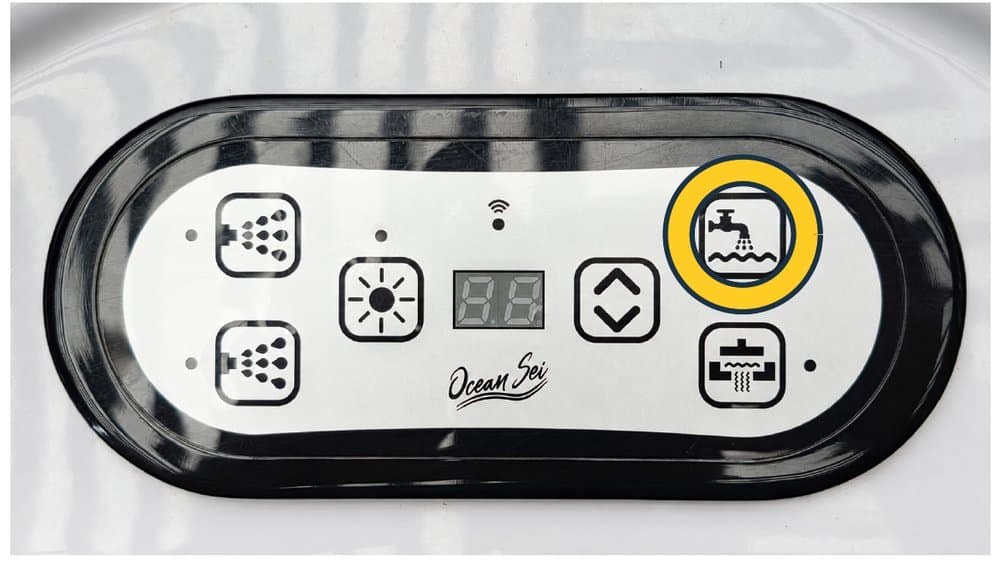
Fill the tub
- Check that all control-panel lights are off. Press any lit button to turn it off.
- Press Fill to start filling.
- After about 20 minutes, press Fill to pause and reset the hot-water heater. It may flash “EN”.
- Wait 10 seconds, then press Fill again. Filling stops automatically at the proper level.
Wait until the tub is full
Do not set the temperature while the tub is filling. The tub can spray water if the controls are set before it is full.
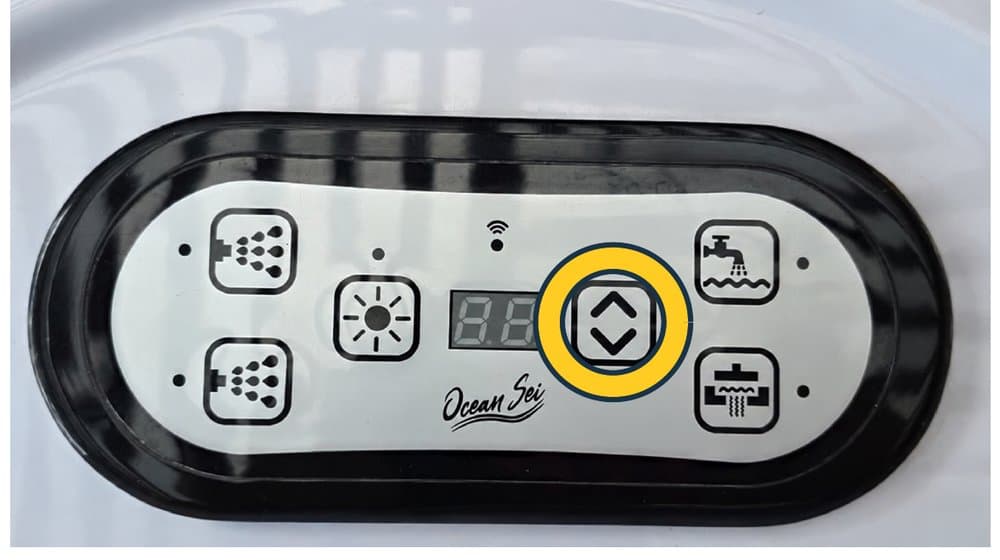
Turn on heat & circulation
Only when the tub is full: press the center power / temperature control to turn on the jacuzzi. The water will circulate and heat continuously.
Use the ▲ and ▼ buttons to adjust the temperature. Suggested setting: 36 °C (97 °F).
While Using the Jacuzzi
Jets, lights & draining
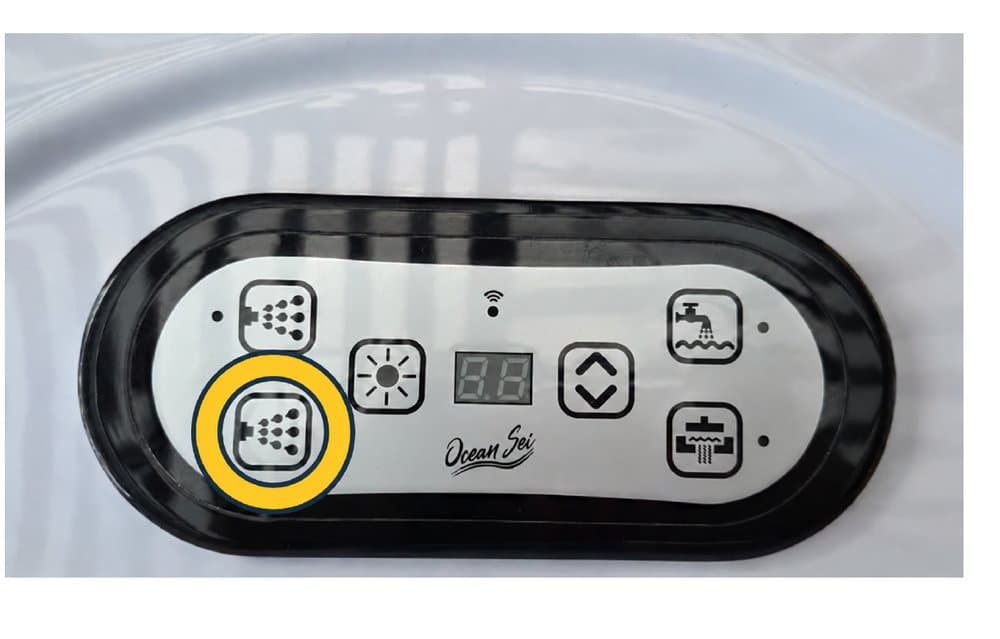
Use the lower jet button shown here. Turn off the jets when you finish using the tub.
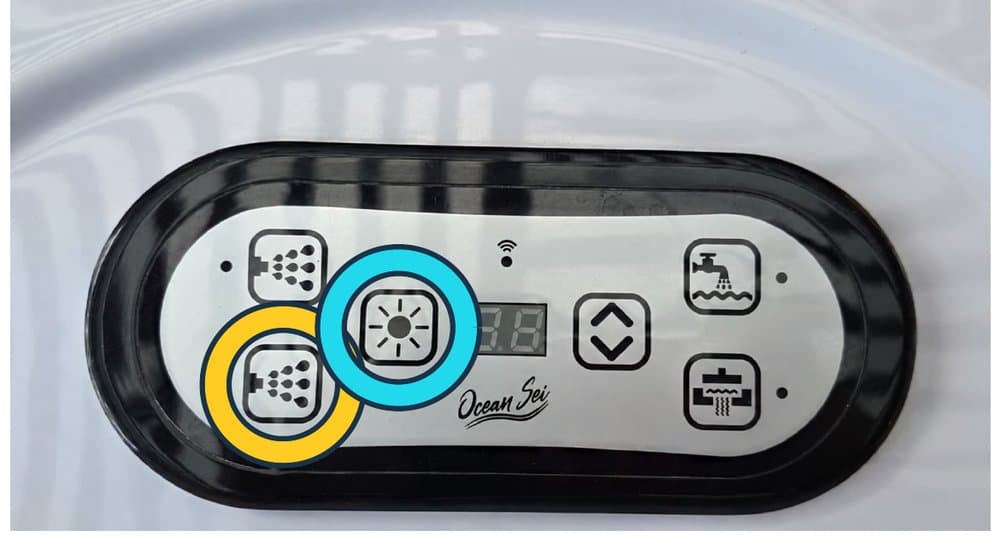
Jets & lights
Jets: press the lower-left jet button, circled in yellow. Press it again to turn the jets off when you are done.
Lights: press the sun-symbol button, circled in blue, to control the lights.
Before draining, make sure both jets and lights are off.
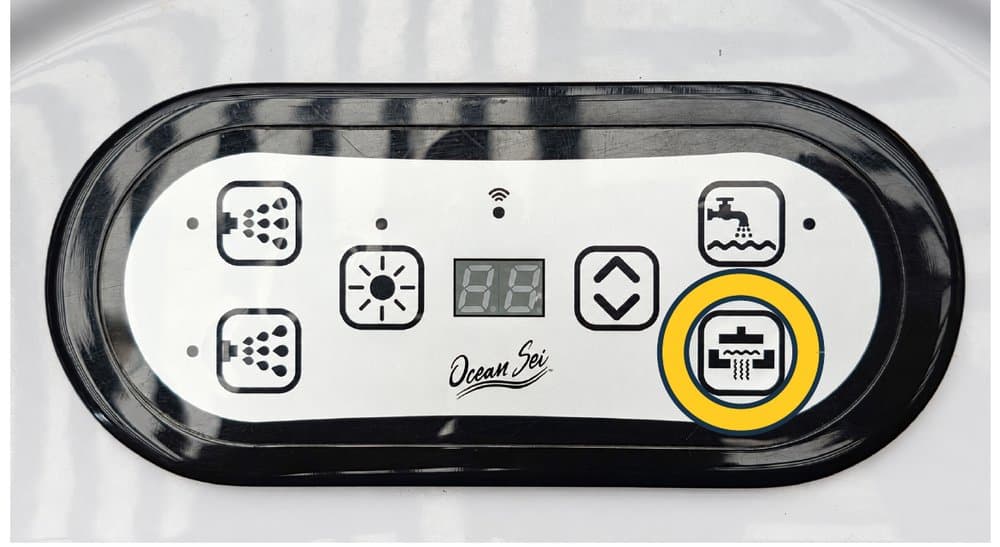
Turn off & drain
- Turn off the jets and lights.
- Use ▲ and ▼ to cycle the temperature past 40 until the temperature display turns off.
- Press the Drain button three times, following the display sequence below. The power turns off and the tub drains.
Drain display sequence
UA
Press Drain
Yn
Press again
UA
Press once more
Important Reminder
When not using the jacuzzi
Turn off the jets
Press the lower-left jet button again to switch them off. The lower-left button is circled in yellow.
Lower the temperature
Use the temperature controls to reduce the setting when you are not using the jacuzzi.
Thank you for helping us care for the jacuzzi.
Daily Automatic Reset
Jacuzzi resets at 5:00 AM
This happens automatically every day.
After the reset:
Top off the water
Bring the water back to the proper level.
Reset the temperature
Select your desired water temperature again.
Important: make sure the water is at the proper level before setting the temperature or starting the jets.